1. Introduction
ITM Chains provide a scenario-driven way to visualize insider threat activity. Investigators can group specific Sections and Sub-sections into custom matrices to reflect the unique trajectory of a case. Pre-defined Chains, based on real-world incidents, help teams study past behaviors and apply those insights to current investigations.
The goal is to turn the ITM from a theoretical framework and knowledge center to an operational tool with Chain Explorer, enabling insider risk professionals to share anonymized incidents to allow others to understand the actions taken by the subject, and any associated Preventions or Detections.
Chains follow the format below, with the ITM framework version as a prefix, and Section or Sub-section IDs delimited by colons:
ITM-V2:MT003:ME024.001:ME011:ME006.001:PR017.003:PR016.001:PR025:PR028.001:IF010.001:AF004:AF0152. The Purpose of ITM Chains
2.1. Insider Intelligence Sharing
Chains provide a way to share information about an insider incident with other parties, without disclosing any confidential information. By populating a Chain with the observed behaviors and events, the Chain string can be shared with other organizations, such as through an ISAC, to help inform other teams what has been observed.
2.2. Pre-Incident Preparation
Chains allows users to view all relevant Preventions and Detections for any objects contained within a Chain. Typically users would need to review each Section or Sub-section to understand the associated PVs/DTs, but using the Prevention and Detection flyouts on the right-hand side, all relevant objects are collated, and hovering over a DT or PV shows the related Sections.
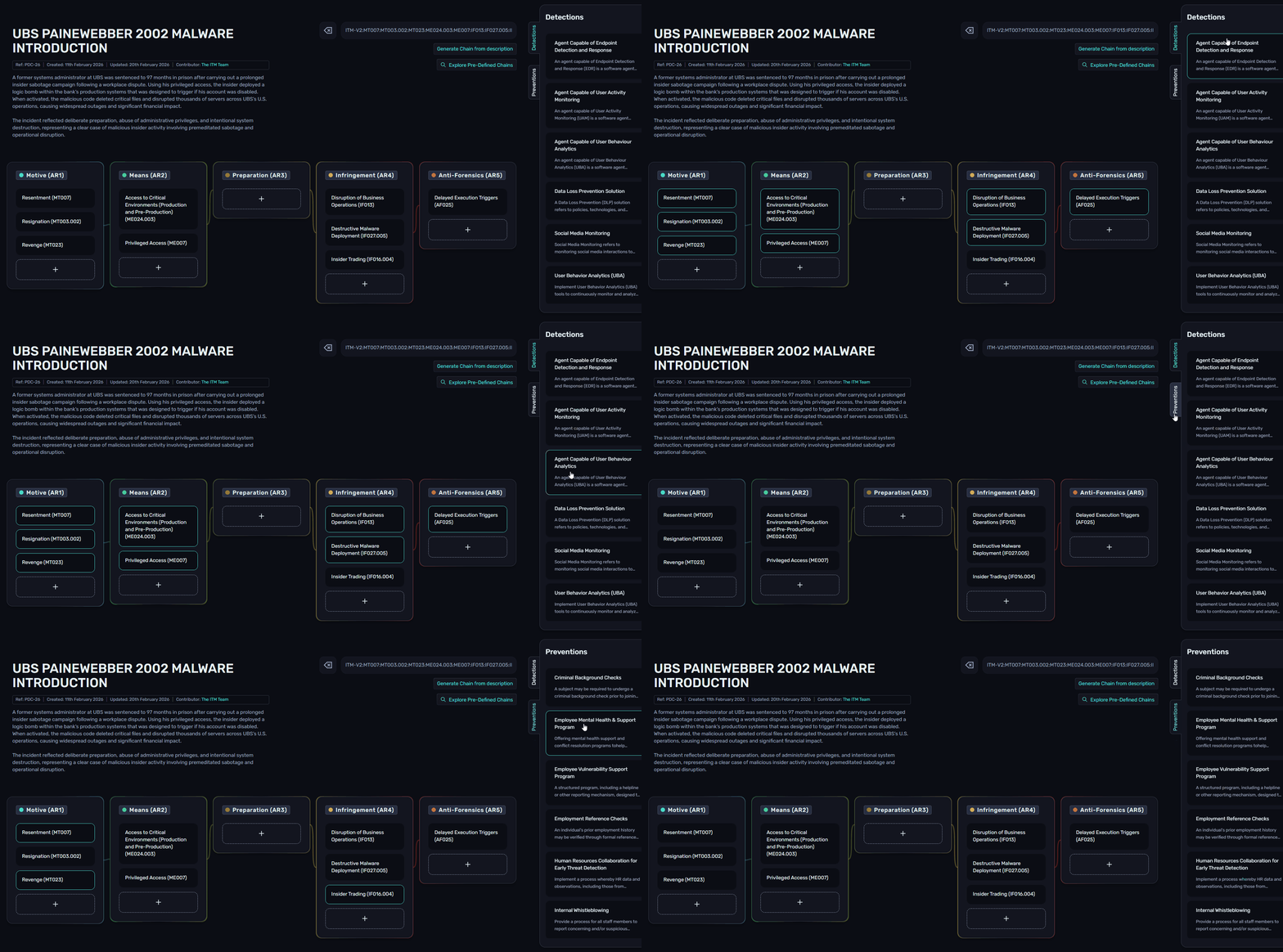
This can be very valuable when viewing PDCs, enabling insider threat practitioners to understand real-world incidents, and how to detect or mitigate them in their own environment.
3. Creating Custom Chains
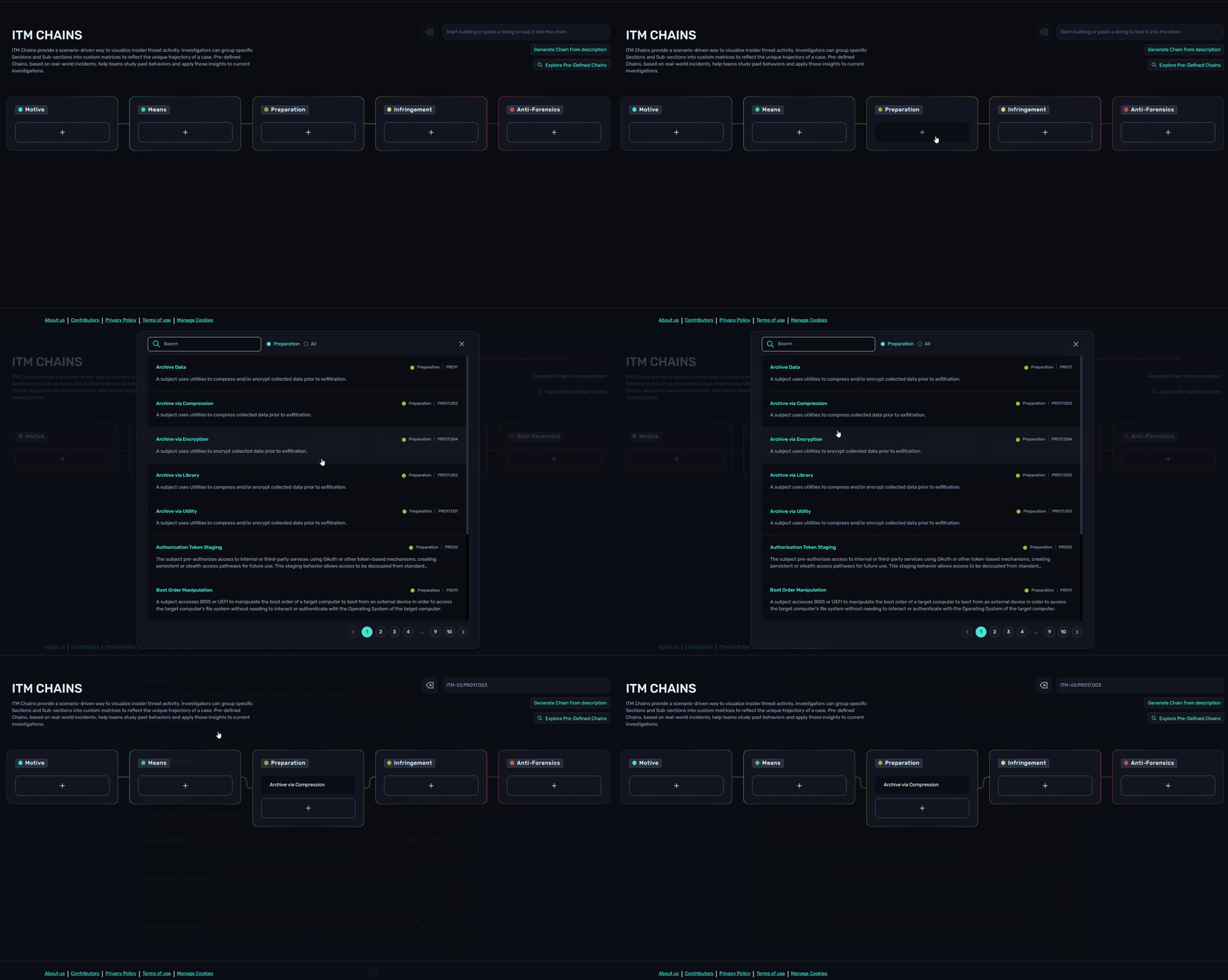
Custom chains can be created from Chain Explorer. Using the "+" button under each Article, users can scroll or search for Sections and Sub-sections.
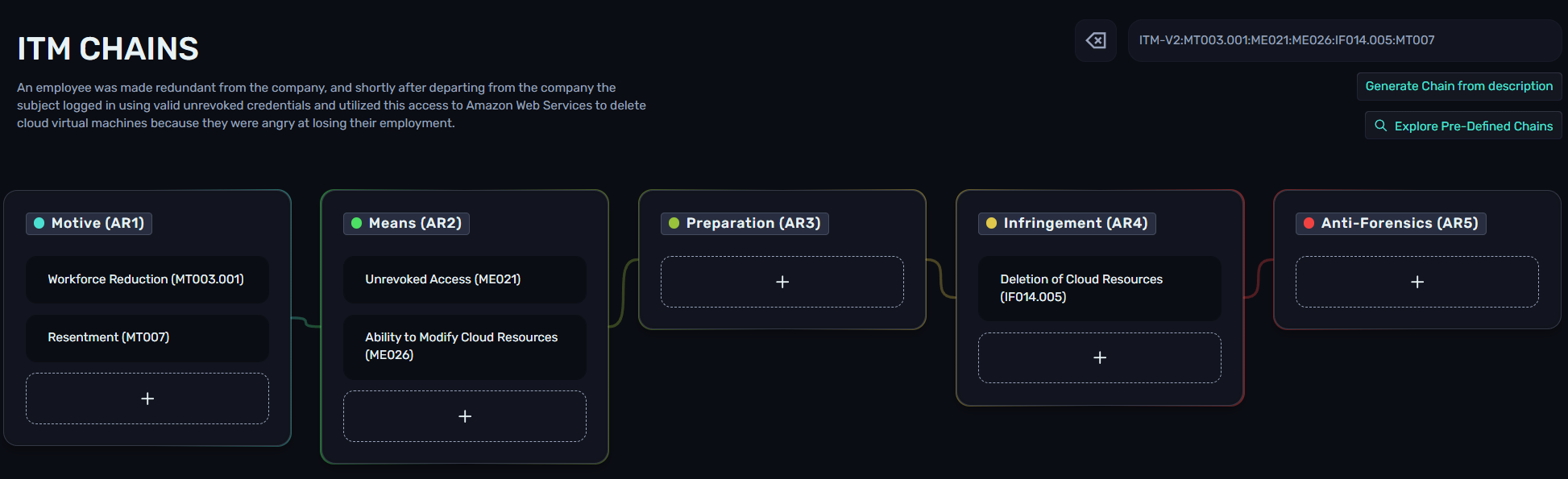
Alternatively, Chains can be created using our Beta AI feature (OpenAI) by clicking the "Generate Chain from description" button on the right-hand side of Chain Explorer. The following prompt was used:
"An employee was made redundant from the company, and shortly after departing from the company the subject logged in using valid unrevoked credentials and utilized this access to Amazon Web Services to delete cloud virtual machines because they were angry at losing their employment."
3.1. Example Custom Chain
In this example, we are an insider threat practitioner that has been investigating an employee, with the following key details:
The subject had handed in their resignation and was going through the organization's leaver process
The subject worked in the Sales department
A competing business reached out to the HR department requesting an employment reference for the subject
The subject's manager observed them downloading thousands of contacts from the CRM. There is no business justification for doing so, especially during the leaver process
The subject uploaded the CRM export to a personal Google Drive storage account via their browser
The subject cleared their Chrome browser history in an attempt to hide their activity
From the above information, we can determine that the related ITM objects are as follows:
Motive - Resignation (MT003.002) and Personal Gain (MT005)
Means - Access to Customer Data (ME024.001) and Cloud Storage (ME006.002)
Preparation - Collaboration Platform Exploration (PR004.002) and File Download (PR025)
Infringement - Exfiltration via Cloud Storage (IF001.001)
Anti-Forensics - Clear Chrome Artifacts (AF004.001)
These objects can be added to a Chain by searching for the Section/Sub-section name or IDs:
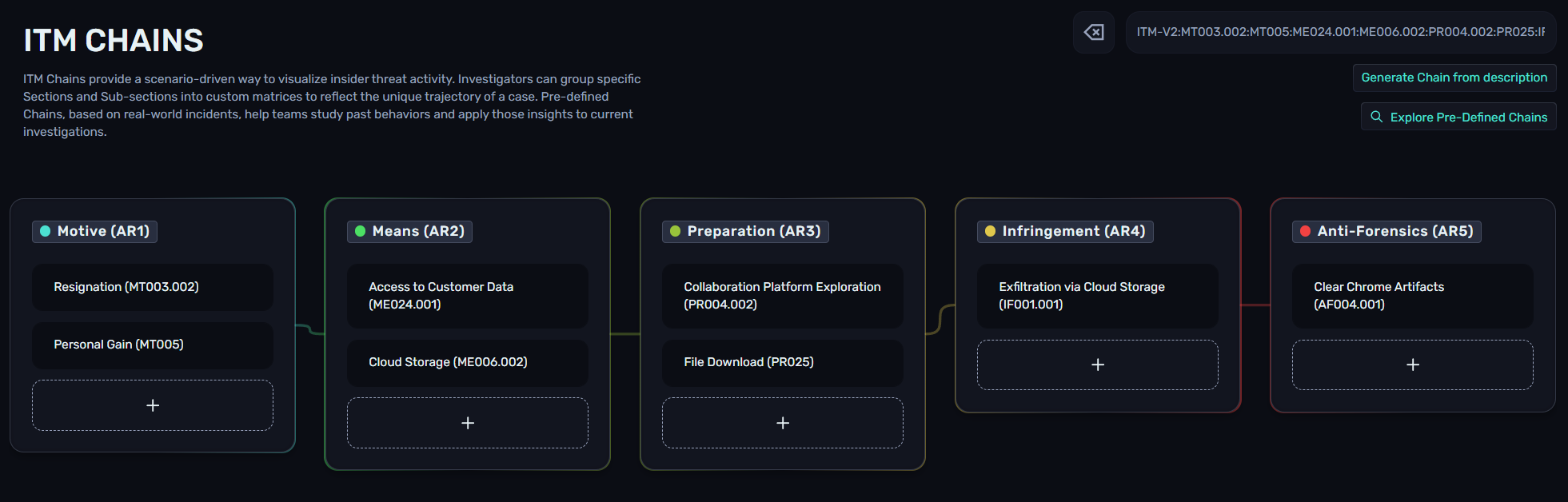
Chain string: ITM-V2:MT003.002:MT005:ME024.001:ME006.002:PR004.002:PR025:IF001.001:AF004.001
4. Viewing Pre-Defined Chains
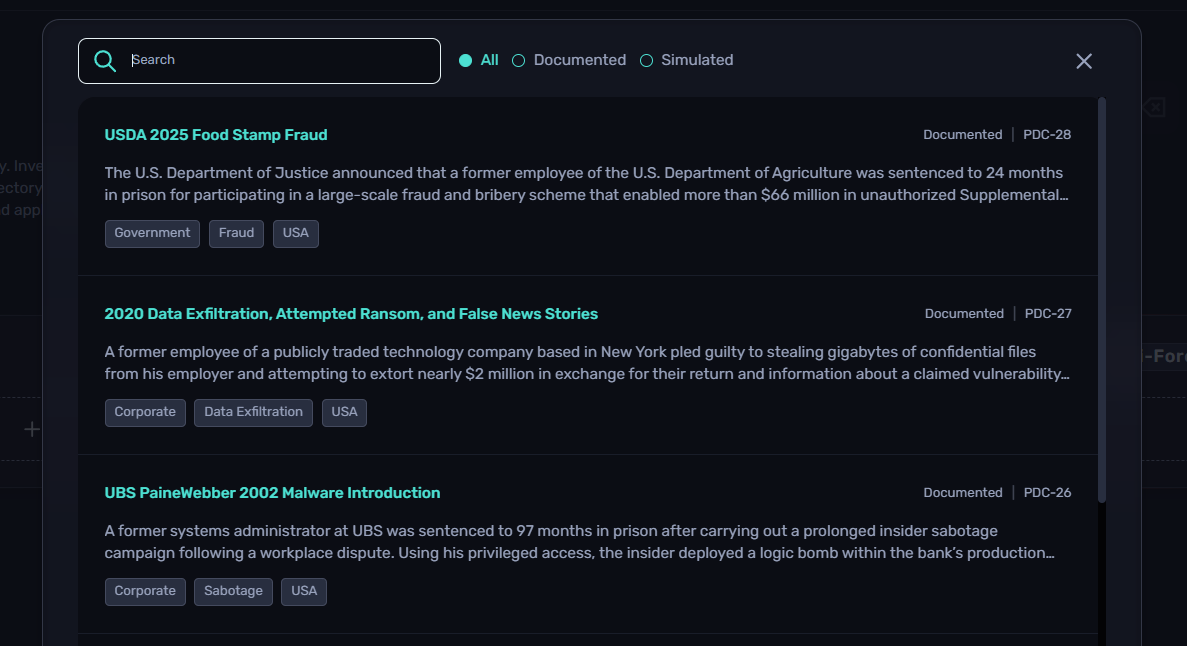
Pre-Defined Chains (PDCs) are published by the ITM Team, and are created internally or through community contributions. These Chains can be viewed by clicking on the "Explore Pre-Defined Chains" button on the right-hand side of Chain Explorer. From here, users can search for keywords or scroll to find a PDC and select it to load the Chain. Filters are available for Documented (real-world) or Simulated (fictional) Chains.
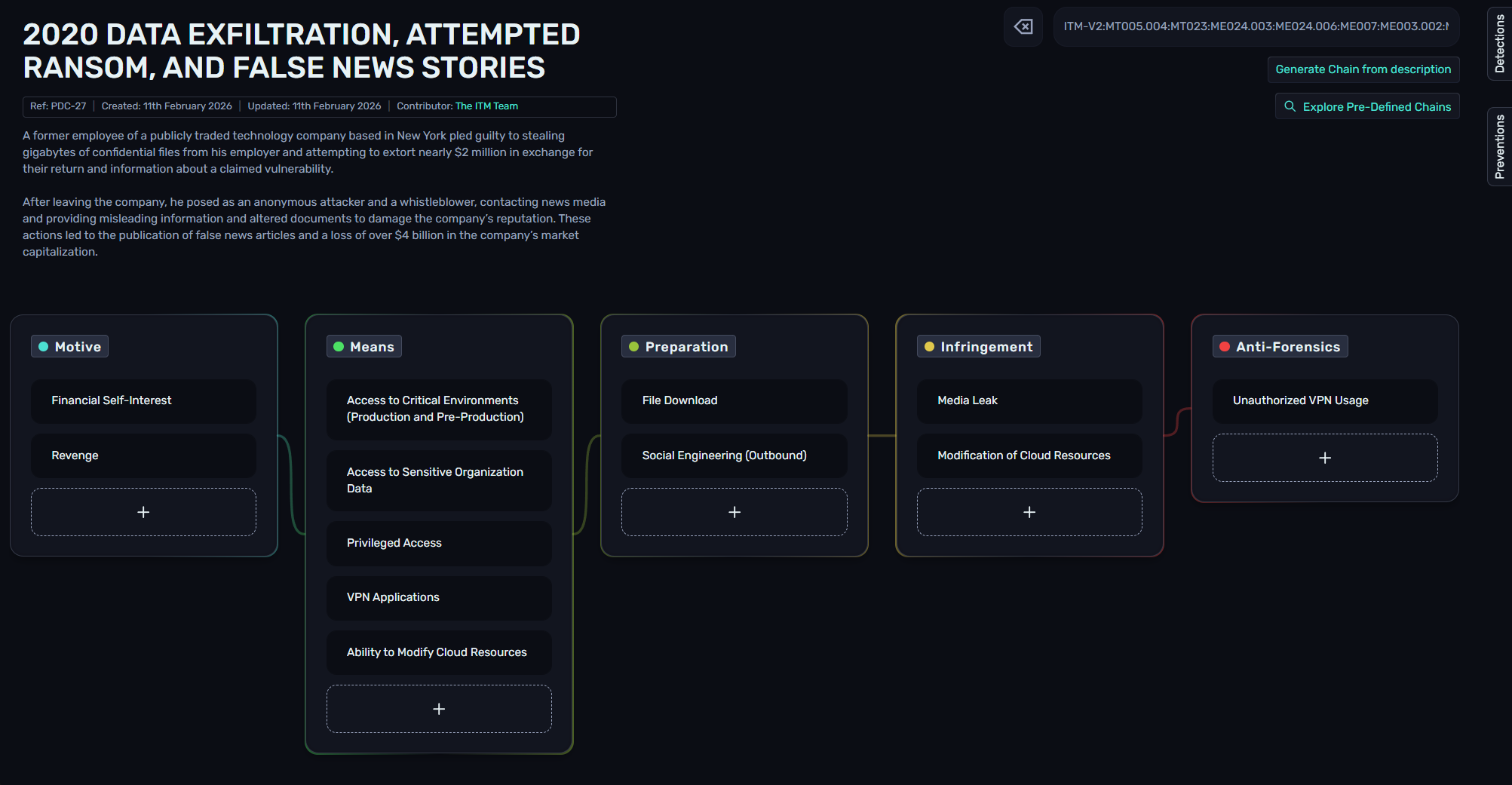
Once loaded, Chain Explorer will display the PDC ID, creation date, updated date, contributor(s), description, and Chain.
5. Sharing Chains
Chains can easily be shared through two methods; a URL or the Chain string itself. When you have built or loaded the Chain you want to share, copy the full URL from your browser and share this with another party - when viewing the URL, as the Chain string is included, it will load the same page.
Alternatively, copy the Chain string from the right-hand side of the page and send this to another party. They can then paste it into Chain Explorer to load the custom matrix.
6. Contributing Chains
The Insider Threat Matrix continues to be a collaborative effort within the insider risk community, and Chains are no different. By collectively sharing our knowledge and experiences, we can further our field and help teams better prepare for dealing with insider events.
You can submit Chains through our Contributors page. If you have any general feedback for Chains, you can also let us know from that page.